
Follow these steps to set up your Igus D1 (Crosshead) Ethernet connection:
- Open up 'Control Panel' and go to 'View network status and tasks'.
-png-2.png?width=688&height=344&name=Screenshot%20(4)-png-2.png)
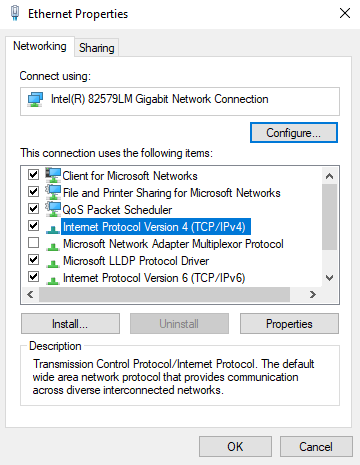
- Select the D1 ethernet connection (plug and unplug the ethernet cable to confirm it is the correct one). Click Properties.
- Highlight Internet Protocol Version 4 (TCP/IPv4), then click Properties.
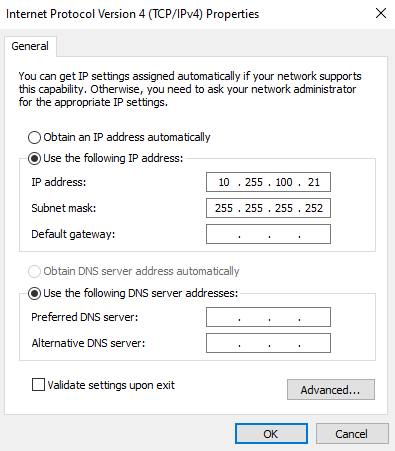
- Click 'Use the following IP address' and enter the ID address and subnet mask shown in the image below. Click 'OK'.
- Close the Control Panel windows.