
The PLX-Benchtop load cell calibration procedure should be carried out annually. It requires a load cell calibration unit and a thermocouple (optional) from Plastometrex, which can be sent to the user on request. Please note that the user will be responsible for the cost of renting or purchasing the required equipment.
In order to perform a load cell calibration:
- Move the crosshead to the top of its range by using the🔼🔽 moving arrows in CORSICA. When the top limit switch is activated, move the crosshead down a few millimetres.
- Connect the load cell calibration device and thermocouple (if provided) supplied by Plastometrex via USB to your PC.
- Place the load cell calibration device and the provided sample on the PLX-Benchtop load cell platen. The thermocouple should be located near the reference load cell.
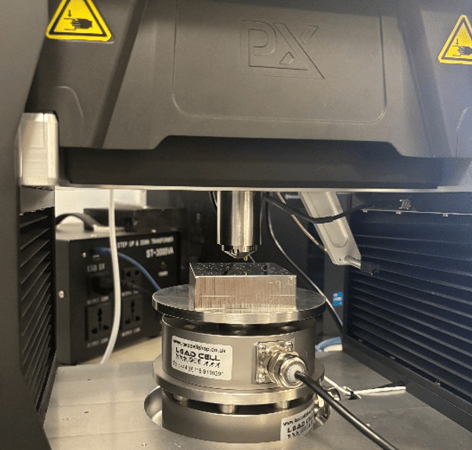
- Go to Tools > Calibrate > Load Cell and start the procedure.
- The calibration is fully automated and takes approximately 30 minutes. Please share the resulting CSV with Plastometrex.
Please contact Plastometrex at support@plastometrex.com to carry out your annual load cell calibration.